Gesture DJ: I Built It in Flash, Now I’m Building It Again
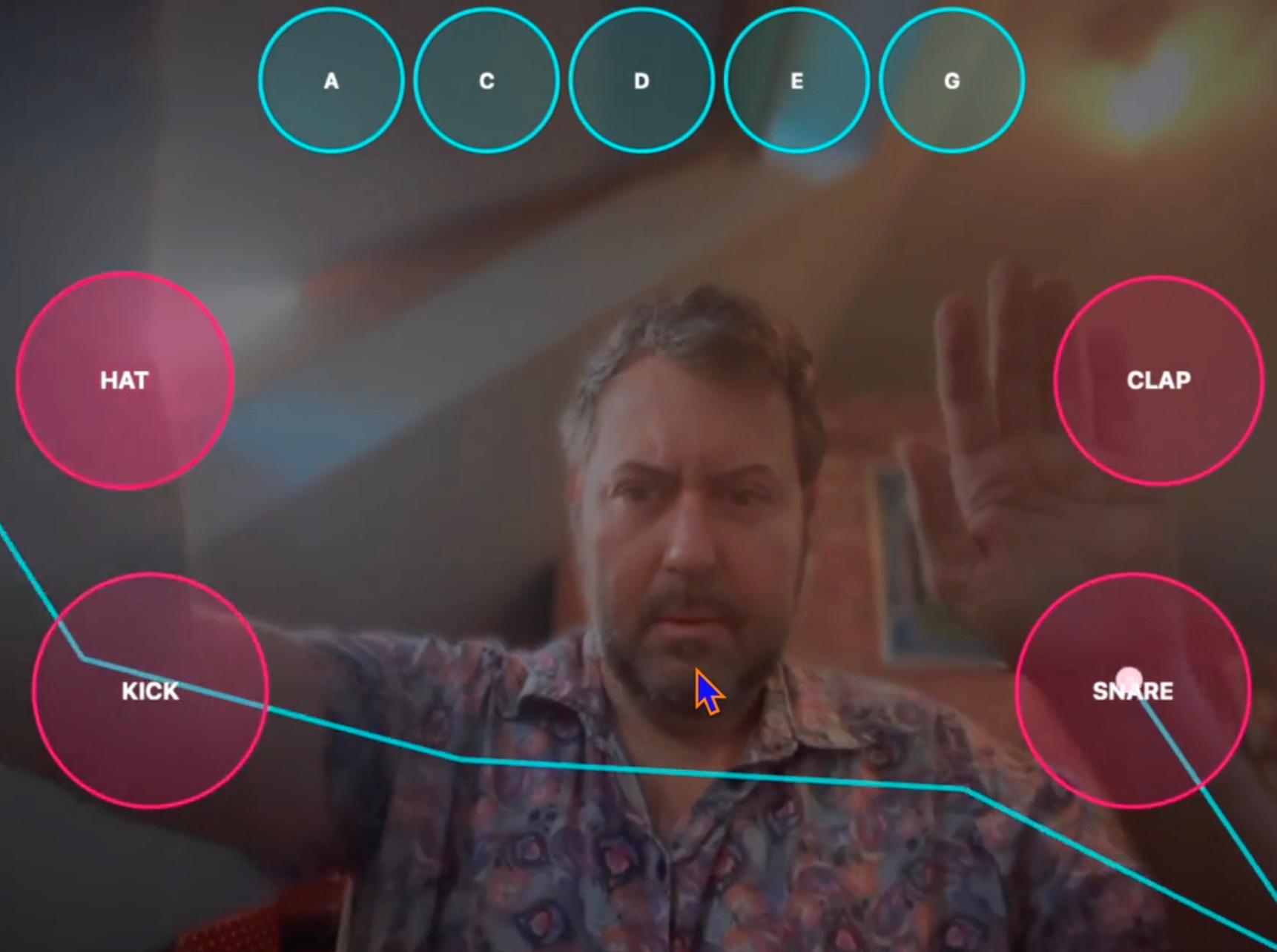
Years ago I built a DJ game in Flash that watched you through the Mac’s camera and turned your movements into music. Wave in the right place and a drum hit. Move again and a note played.
I’d half forgotten about it. Then someone (an AI, as it happens…) tried to tell me my gesture DJ was part of a completely different project, and I went: no, no, I definitely built that, in Flash, on a Mac. And once I’d remembered it properly, I knew I had to build it again.
The original
Probably back in the 2000s, roughly 2007, I was working on learning to build Flash experiences as a home project, and was playing around with building an interactive demo utilising the computer’s camera for gesture detection.
Flash was brilliant for this sort of thing. You could grab the webcam feed, compare one frame with the next, and work out where something had moved. No machine learning, no body tracking, just “which pixels changed?” Put a few hot zones on the screen, and when enough pixels changed inside a zone, you fired a sound.
I built it based on a magazine tutorial, a las I have no images or video footage, and have long since got rid of the magazine.
It was crude by today’s standards. Lighting changed everything, a passing person could set off the snare, and you had to stand in just the right spot.
Why rebuild it now
Flash is gone. But the idea is better now than it was then, because the tools have caught up.
– The browser can see you properly. Google’s MediaPipe runs body and hand tracking right in a web page. Instead of “some pixels changed”, you get 33 points on your body, every frame: wrists, elbows, shoulders, hips.
– The browser can make proper sound. The Web Audio API gives you low-latency samples, filters and timing, with nothing to install.
– Anyone can try it. Send a link, they allow the camera, they’re drumming. No plug-in, no download.
So the new version is one web page: camera in, MediaPipe pose tracking, a bit of gesture logic, Web Audio out.
https://www.kevingordon.org.uk/projects/gesture-dj/prototype.html
How the new one works
Every video frame goes round the same loop:
camera → body tracking → smoothing → gesture detectors → sounds (and a canvas overlay so you can see your skeleton and the pads)
I’ve rebuilt it and it kind of works.
What I learned (twice)
The first time round, the lesson was that a camera and a few hot zones are enough to make people play. The second time round, it’s that the hard part was never the tracking. It’s the feel: how fast a hit registers, how forgiving the pads are, whether it sounds good when you get it slightly wrong. Latency over about a tenth of a second and the magic goes.
If you’ve got a laptop with a camera, give it a go when it’s up, and tell me which pad you missed.