



So for quite a long time I’ve been logging things I can’t work out how to do or fix on my Apple MacBookPro, so Wednesday I had a spare day, and I thought what the hell, let’s book a Genius Bar appointment.
Logging on to the Apple Store App, Lakeside only had one appointment available that day - at 4.00pm. But that was fine, I had plenty to keep me occupied until then.
At 3.55pm a rolled in to the Apple Store, and was greeted at the back of the store (in their Christmassy red T-Shirts) by some of the employees, who directed me to take a seat at the Genius bar.
It was quite clear that they were super busy, so whilst I waited I thought I’d review the items that I wanted help with. I then got a panicky feeling that maybe I hadn’t googled for the solutions, so I rectified that by googling for the answers. Thankfully it confirmed what I thought - that there was no easy answer. The fix for the duplicate contacts did not resolve the issue, so it was still a valid problem.
Turned out I didn’t have to wait too long. Here are the highlights of what I go help with;
- How do I get rid of the duplicate contacts in contacts / the address book?
 Since Mountain Lion’s Facebook contacts integration, lots of my contacts have two entries, one I created, and one created from Facebook, where iCloud did not realise they were the same person. So the resolution to this one was to select both contacts, and under the “Cards” menu item you can “merge” the contacts or “link” the contacts - this resolved all the duplicates.
 - How to use services?
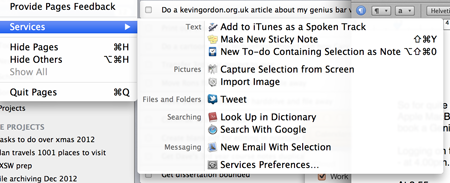 This wasn’t really fixed, I was hoping for a demo of how to use services - but the chap didn’t really have any experience with services himself. What he did find out is that they are context sensitive, and highlighting text can offer services - so at least I can get services to appear now. I will be googling to learn more about them. However he could probably have told me to use Google on this one....
 - How to get photos to appear in iMessage?

 There seems to be a bug with my iMessage on my Mac that virtually all the avatar / profile pics had disappeared. Discussing with the genius, we thought that getting rid of the contacts in the address book might resolve it - as possibly a reboot. He left me to manually remove all the duplicates whilst he went on to help other people - but he was happy for me to stay and do this. After removing the duplicates and rebooting the photos did not appear. The Genius was busy at this point. So I was playing around, and then I thought I’d try opening the photos in the address book and re-saving them. This was a master stroke, as the photos suddenly appeared in iMessage. So it was just a case of going through and re-saving all the photos in Contacts and this resolved the problem. Well almost; one message thread still didn’t contain photos when I opened the thread. But scrolling up and scrolling back down the pictures reappeared. So that is kind of a workaround for now, until Apple fix this.
 - Opening apps in the same space on reboot.
The Genius showed me an option under system preferences, under Mission Control, “Automatically rearrange spaces based on most recent use”. However I tried doing a reboot but this did not fix it. At this point I’d been there over an hour and a half so I decided to leave this for another day. - Change network drive using terminal.
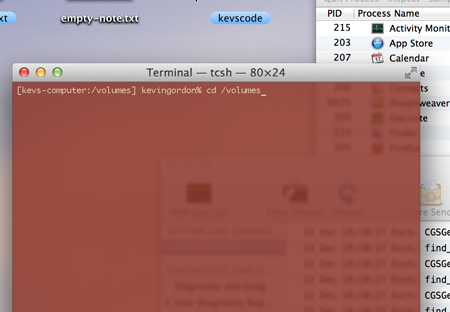 This is simples; at the terminal type “ls /Volumes” and then cd to one of those directories to change to that drive.
As always the Genius' were knowledgable and professional, and I very much appreciate this service, thank you!